Automated SEO monitoring in four steps
- 1
Crawl your site
Download Crab and crawl your site once. That's your baseline. - 2
Schedule the next crawls
Daily, weekly or a custom cron in your timezone. Missed runs catch up when Crab is back; failed runs retry. - 3
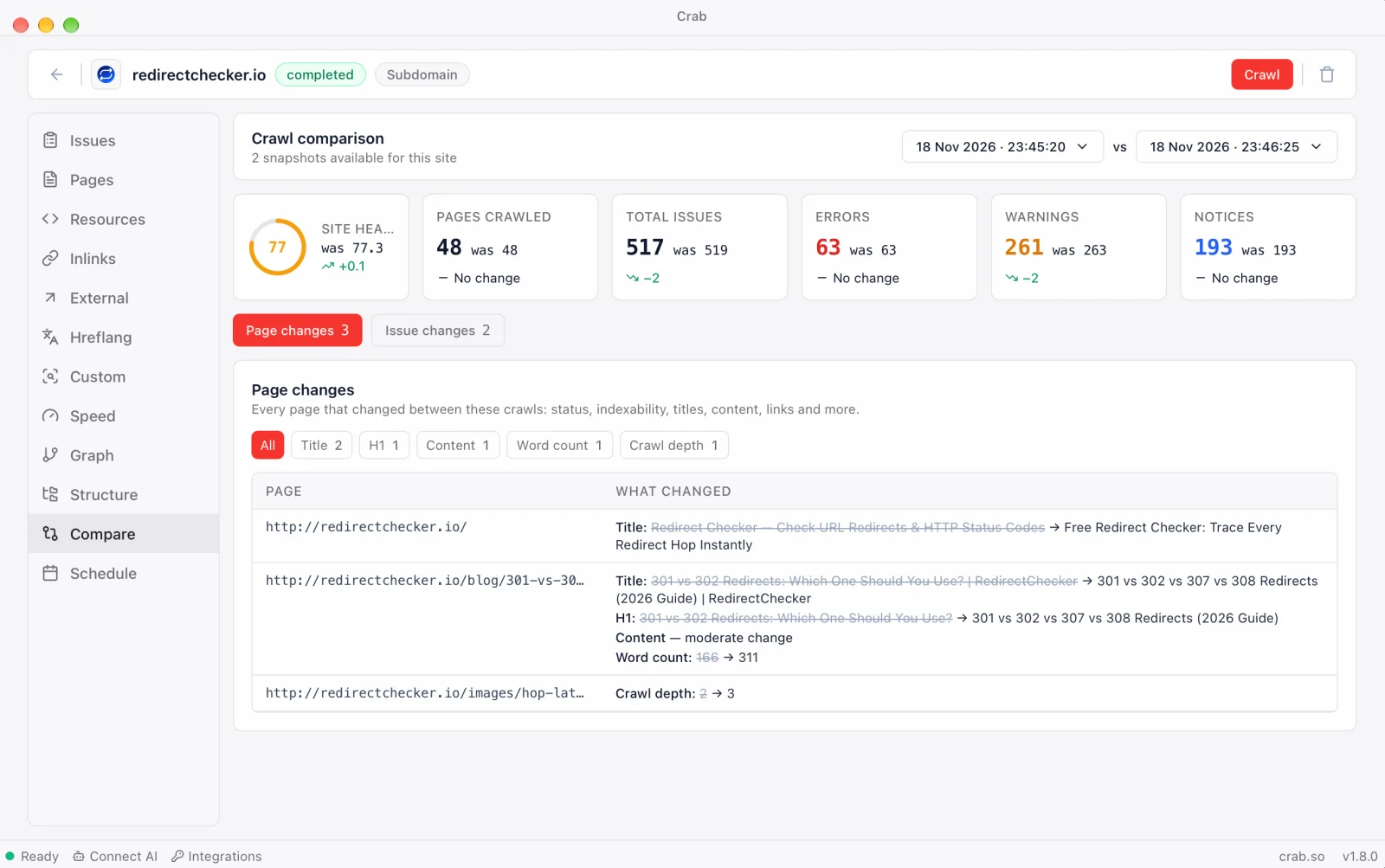
Open Compare → Page changes
Every changed page, filterable by type: status, indexability, title, content, links and more. - 4
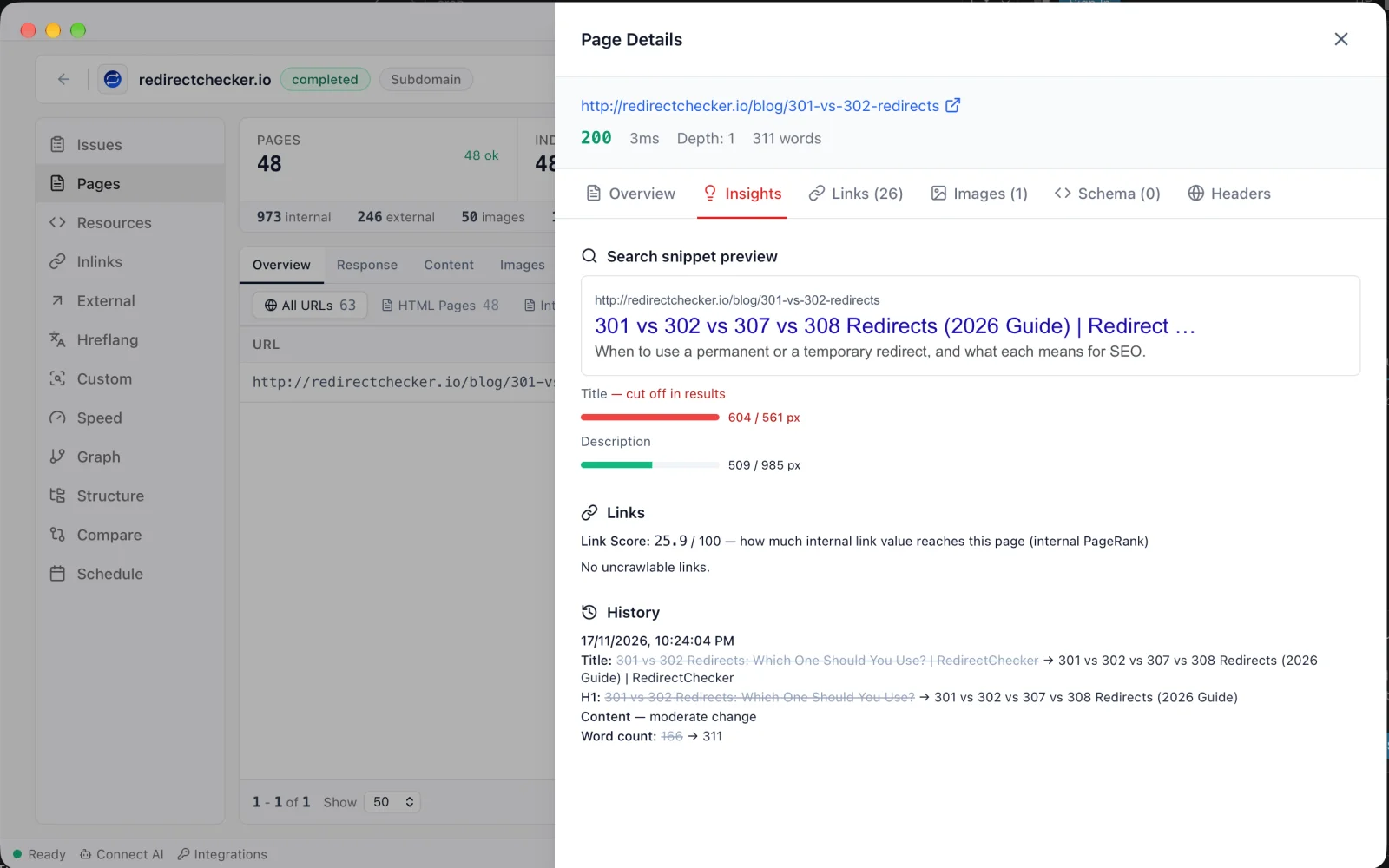
Check a page's history
Any page's Insights tab shows its own changes, crawl by crawl.
Every change that moves rankings
Crab fingerprints every page on every crawl and compares the fingerprints.
Status and indexability
Pages that start returning 404 or 5xx, start redirecting, or turn noindex. The changes that cost traffic fastest.
Canonical tags
A canonical that suddenly points elsewhere can drop a page from search overnight.
Titles and meta descriptions
Old and new value side by side, so an accidental template change is obvious.
H1 headings
Changed or removed main headings across the site.
Content changes
Every rewrite, sized as a minor edit, moderate change or major rewrite, plus word-count changes.
Structured data
Schema types added or removed, such as a Product or FAQ block that disappeared.
Internal links
Significant changes in a page's inlinks and outlinks, and in its click depth from the homepage.
Link Score
Pages whose internal link value rose or fell by 10 points or more.
Added and removed pages
New URLs found, and URLs that are no longer linked or reachable.
Content change detection
Rewrites, template changes and accidental deletions show up as content changes, sized by how much of the text differs, with the old and new title and H1 next to each other.
- Minor edit, moderate change or major rewrite
- Word count before and after
- Title, meta description and H1 changes
- A dated history for every URL
Changes and issues in one place
Compare opens on Page changes, with the issue comparison one tab away.
Page changes
Every changed page, filtered by change type, with old and new values.
Issue changes
Which SEO issues are new, fixed or growing since the previous crawl, with Site Health before and after.
Per-page history
A timeline of each URL's changes across every crawl.
What SEO change detection catches
- 01Critical
A release that noindexes or breaks pages
Status and indexability changes are listed first, so a bad deploy is visible in the first crawl after it.
- 02Site-wide
Template changes that rewrite every title
Hundreds of title changes at once usually mean a template or plugin update, not an editor.
- 03Critical
Canonicals that start pointing elsewhere
One of the fastest ways to lose pages from search, and easy to miss without a diff.
- 04Content
Content edits on your best pages
See exactly which ranking pages were rewritten and when, before traffic moves.
- 05Links
Internal links removed in a redesign
Pages that lost inlinks or Link Score after navigation changes.
Crab vs change detection software
Two kinds of tools watch websites for changes. Crab is built for SEO.
| Crab | Cloud SEO monitoring | Visual page watchers | |
|---|---|---|---|
| Watches | Every page of your site | Every page of your site | Pages you add one by one |
| Price | Free | Paid subscription | Free tier, then paid |
| Runs | Your computer | Their servers | Their servers |
| SEO fields (title, canonical, noindex, schema) | |||
| Status codes and redirects | |||
| Internal links and Link Score | |||
| Full technical SEO audit in the same crawl | |||
| Instant alerts | Planned |
Categories, not specific products: cloud SEO monitoring (for example ContentKing / Conductor Monitoring) and visual page watchers (for example Visualping or Distill). Features vary by product and plan.
Frequently asked questions
Yes. Crab is a free desktop app with no URL limit and no account. Every completed crawl is saved, and you can compare any two crawls of a site.
More questions? hey@crab.so or r/crabdotso
Know what changed before your traffic does
Free, scheduled, and your crawl history never leaves your computer.
Download Crab, freemacOS · Windows · Linux · no account · no URL limits